Cursor vs GitHub Copilot vs Windsurf: Which AI Coding Assistant Is Best in 2026?
We spent months coding in Cursor, GitHub Copilot, and Windsurf on real production repos. Here is which AI coding assistant wins on autocomplete, agentic editing, and pricing — and which one you should actually pay for in 2026.
The AI coding assistant market in 2026 has consolidated around three serious contenders, and choosing between them is harder than it looks — because they are not really the same kind of product. Cursor is a full editor you switch to. GitHub Copilot is a plugin that follows you into whatever editor you already use. And Windsurf — now officially rebranded to "Devin Desktop" under Cognition — is an agent-first IDE that increasingly behaves like a control room for autonomous coding agents.
We have spent months living inside all three on real production codebases: TypeScript monorepos, Python services, a sprawling Next.js app, and the kind of gnarly multi-file refactors that separate a good demo from a genuinely useful tool. The differences that matter are not the ones the marketing pages lead with. They come down to autocomplete quality, how well each one holds context across a large repo, how much you trust its billing, and whether you are willing to leave your editor.
This is not a "one tool to rule them all" verdict, because most engineers do not work that way — surveys consistently show around 70% of developers stacking two to four AI tools at once. But if you are choosing a primary, the differences are real and decisive.
The short answer: pick Cursor if you want the best raw coding experience on large, complex codebases; pick GitHub Copilot if you live inside GitHub and value governance, breadth, and a cheap entry price; pick Windsurf if you want an agent-first workflow with the widest model catalog in a single IDE.
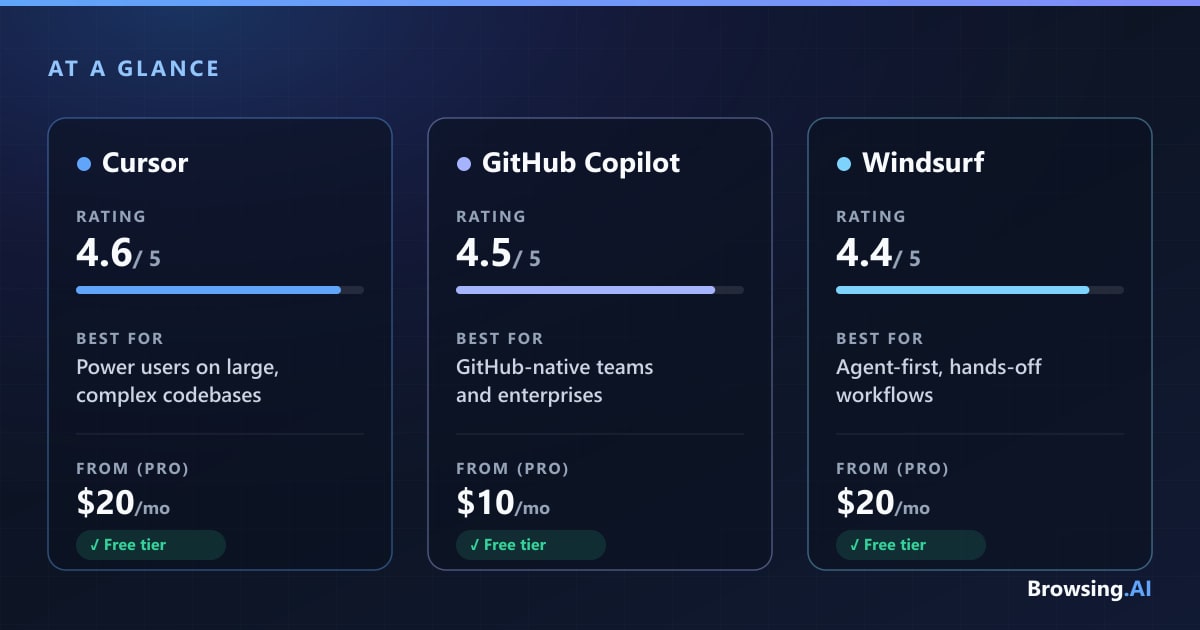
Quick Comparison Table
| Cursor | GitHub Copilot | Windsurf (Devin Desktop) | |
|---|---|---|---|
| Best for | Power users on large, complex repos | GitHub-native teams & enterprises | Agent-first, hands-off workflows |
| Price (Pro) | $20/mo ($16 annual) | $10/mo | $20/mo |
| Free tier | Yes (Hobby, no card) | Yes ($0, genuine) | Yes ($0, unlimited Tab) |
| Editor / delivery | Standalone VS Code fork | Plugin for most IDEs + GitHub | Standalone VS Code fork |
| Agentic editing | Excellent (Composer/Agent) | Good (Agent mode + coding agent) | Excellent (Devin Local) |
| Codebase understanding | Best on 500k+ line repos | Good, deep GitHub context | Strong auto-indexing (RAG) |
| Model choice | Broad + own Composer models | Broad, curated + Agent HQ | Broadest catalog + free SWE models |
| Autocomplete | Best-in-class | Solid, ubiquitous | Very strong, unlimited |
| Rating | 4.6 / 5 | 4.5 / 5 | 4.4 / 5 |
How We Compared
We evaluated each tool across the tasks developers actually spend their day on: single-line and multi-line autocomplete, inline edits, multi-file agentic refactors, whole-codebase question answering, and model flexibility. We ran the same prompts and the same refactors through all three, on the same repos, over an extended period rather than a one-off test.
A note on honesty: much of the head-to-head "benchmark" data floating around in 2026 comes from affiliate blogs recycling the same unsourced numbers. The widely-quoted "Cursor 72% vs Copilot 65% acceptance rate," for example, has no traceable primary study behind it, and vendor SWE-Bench scores are self-reported. So where hard numbers are thin, we say so and lean on qualitative, repeatable observations instead. For the fuller picture, our roundup of the best AI coding assistants tracks how these tools evolve.
Autocomplete and Inline Suggestions
Autocomplete is the feature you touch thousands of times a day, and it is where the gap is most noticeable. Cursor's Tab is the consensus leader: it predicts not just the next token but the next several edits, chaining changes across a function as you type, and it holds up especially well on complex type signatures and edge cases. It genuinely feels like it knows where you are going.
Windsurf's Tab (Supercomplete) is close behind and has one enormous advantage — it is unlimited on every tier, including Free, since Cognition moved autocomplete out of the metered quota entirely in March 2026. For high-volume typists that is a real cost saver. Copilot's completions plus its Next Edit suggestions are fast, reliable, and available everywhere, and they never consume AI Credits on any paid plan. They are excellent; they are just not quite as clairvoyant on the hardest cases.
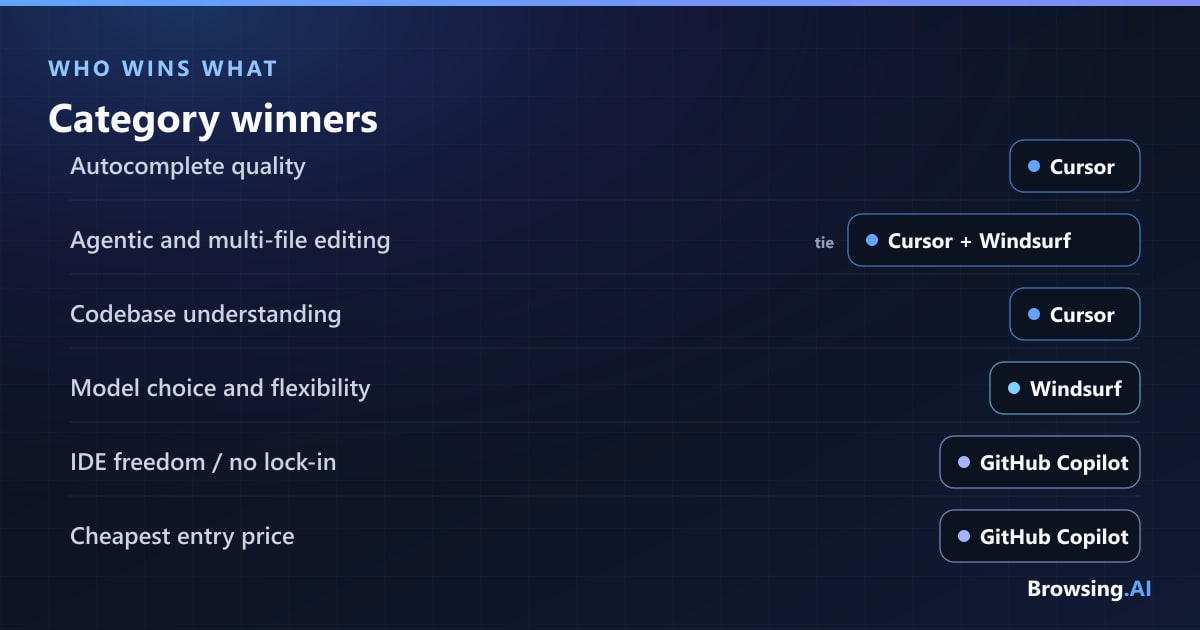
Winner: Cursor, narrowly, for the sharpest predictions — with Windsurf earning an honorable mention for making its very-good autocomplete unlimited.
Agentic and Multi-File Editing
This is where "AI coding assistant" becomes "AI coding agent." Cursor's Agent (built on the Composer family, including its in-house Composer 2 model) plans and executes changes across an entire codebase, runs terminal commands, and can carry a multi-step task to completion largely on its own. On big refactors spanning many files, it is the most reliable of the three at keeping the whole picture in mind.
Windsurf matches it closely. Its new Devin Local agent — a from-scratch Rust rewrite that Cognition claims is roughly 30% more token-efficient than the old Cascade engine — plus the Agent Command Center for dispatching and monitoring multiple local and cloud agents, makes it feel the most "agent-native" of the three. If your workflow is "describe it and let the agent scaffold and edit," Windsurf is built for exactly that. (Note: the beloved Cascade agent reached end-of-life on July 1, 2026, so this is a migration in progress.)
Copilot's Agent mode reached general availability in VS Code and JetBrains in early 2026 and has closed much of the gap, and its cloud coding agent — assign a GitHub issue, get a PR back asynchronously — is a genuinely different and useful trick. But on large tasks touching 10+ files with architectural implications, it is still generally seen as a step behind the two native IDEs.
Winner: a tie between Cursor and Windsurf, with Copilot's async issue-to-PR agent being the most workflow-integrated of the bunch. The nuances get a fuller treatment in our Cursor vs Windsurf head-to-head.
Codebase Understanding and Chat
Ask a hard question about a large repo and the differences surface fast. Cursor's @Codebase semantic search is the most mature on very large repositories — think 500k+ lines — and it degrades gracefully rather than falling off a cliff as the codebase grows. You get fine-grained control by @-referencing specific files, docs, or the web.
Windsurf takes the opposite philosophy: automatic whole-repo RAG indexing means you do less manual context wrangling. For hands-off medium-to-large projects, that is a genuine ergonomic win — you ask, it finds the relevant files itself. Copilot's advantage is different and hard to replicate: nothing else understands your GitHub context — issues, PRs, Actions, and repo history — as natively, and Copilot Spaces let you ground answers in curated knowledge bases.
Winner: Cursor for raw large-repo comprehension, with Windsurf best for hands-off convenience and Copilot best when your questions are really about your GitHub workflow.
Model Choice and Flexibility
All three are now multi-model, but the flavor differs. Cursor offers Claude, GPT, Gemini, and Grok alongside its own in-house Composer models, with an "Auto" router that picks per task — and it increasingly nudges you toward the cheaper, lower-latency Composer models. Many developers pair these editors with Claude as their default reasoning model, and Claude Sonnet is commonly Cursor's out-of-the-box choice.
Windsurf has the broadest catalog of the three: Anthropic, OpenAI, and Google frontier models, plus international and open models like DeepSeek and Kimi, plus its own free SWE models (SWE-1.6/1.7) that cost zero quota and are genuinely fast. That free in-house tier meaningfully reduces how often you burn metered credits. Copilot is multi-model too — Anthropic, OpenAI, Google, and more — but more curated, and its Agent HQ goes a step further, letting you orchestrate third-party agents (Claude Code, OpenAI Codex, and others) under one subscription. One caveat: Copilot's catalog rotates aggressively, and models have been pulled with little notice.
Winner: Windsurf on sheer breadth and free in-house models, with Copilot's Agent HQ the most ambitious orchestration play.
The IDE Experience: Plugin vs Standalone
This is the biggest structural decision, and it is easy to underrate. Copilot is a plugin. It installs into VS Code, Visual Studio, the JetBrains suite, Neovim, Xcode, Eclipse, and more, plus GitHub.com, the CLI, and mobile. You keep your exact setup, extensions, and muscle memory, and there is essentially zero switching cost or lock-in. For JetBrains and Visual Studio shops especially, this is decisive — the native IDE experience is far better than anything a fork offers.
Cursor and Windsurf are standalone editors — both forks of VS Code, so your extensions, themes, and keybindings mostly carry over, but you are still adopting a whole new application and committing to their AI loop. The payoff is that the AI is woven into the editor rather than bolted on, which is exactly why their agentic and autocomplete experiences feel more cohesive. The trade-off is real lock-in: leaving means leaving the editor.
There is also a stability dimension. Windsurf has been through extraordinary ownership churn — Codeium to Windsurf to Devin Desktop, following a 2025 saga in which OpenAI's acquisition collapsed, Google reverse-acqui-hired the leadership into DeepMind, and Cognition bought the rest. Cursor, meanwhile, is reportedly heading into a SpaceX acquisition of parent Anysphere (announced but pending as of mid-2026). Copilot, backed by Microsoft/GitHub, is the steadiest of the three on continuity — worth weighing for enterprise standardization.
Pricing Breakdown
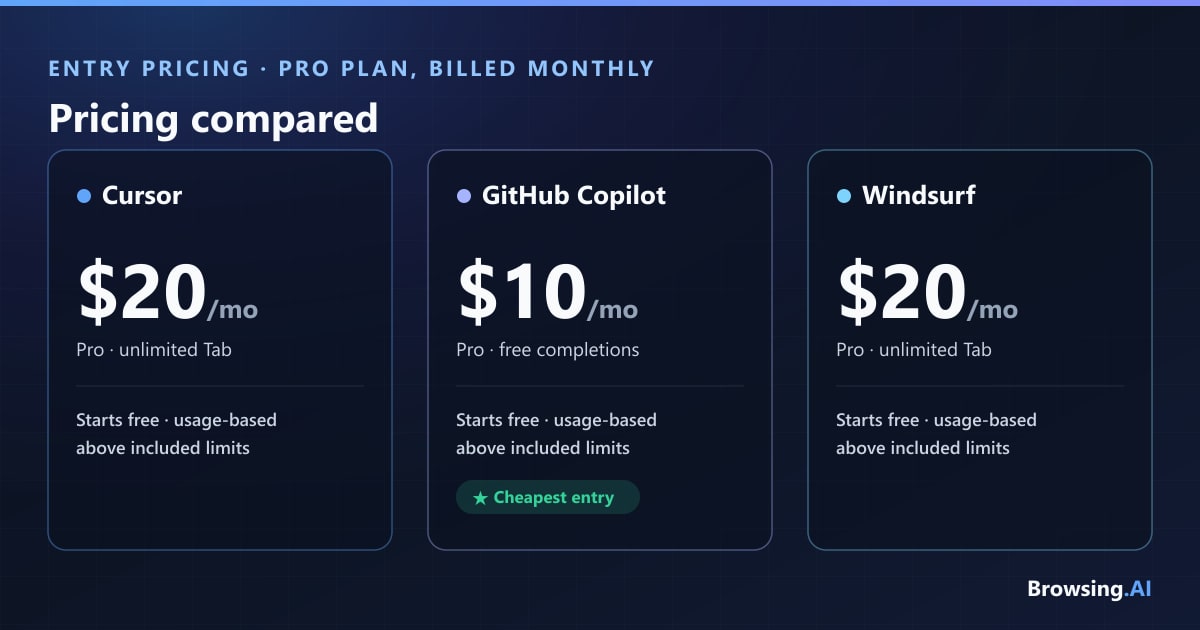
Pricing shifted for all three in 2026, and all three moved toward usage-based billing — which caused real backlash in each community. Individual monthly prices:
Cursor
| Plan | Price | Notes |
|---|---|---|
| Hobby | Free | No card; limited Agent requests & Tab |
| Pro | $20/mo ($16 annual) | ~$20 usage pool + unlimited Tab |
| Pro+ | $60/mo | ~3x Pro usage |
| Ultra | $200/mo | ~20x Pro usage |
| Teams | $40/user/mo ($32 annual) | Admin, SSO, analytics |
| Enterprise | Custom | Pooled usage, SCIM, audit logs |
GitHub Copilot
| Plan | Price | Notes |
|---|---|---|
| Free | $0 | 2,000 completions & 50 chats/mo |
| Pro | $10/mo | Unlimited completions + ~$15 credits |
| Pro+ | $39/mo | Premium models + ~$70 credits |
| Max | $100/mo | Newest models + ~$200 credits |
| Business | $19/user/mo | Governance, IP indemnity |
| Enterprise | $39/user/mo | Deep GitHub.com integration |
Windsurf (Devin Desktop)
| Plan | Price | Notes |
|---|---|---|
| Free | $0 | Unlimited Tab + light agent quota |
| Pro | $20/mo | Full model access, Devin Cloud |
| Max | $200/mo | Much higher quota ceilings |
| Teams | $80/mo base + $40/seat | Collaboration, admin |
| Enterprise | Custom | SSO, RBAC, compliance |
A crucial nuance: Cursor's official page shows $16 because it defaults to displaying the 20%-off annual rate; the real monthly price is $20. Copilot has the cheapest entry point at $10/mo and keeps code completions free of credit consumption forever. The shared risk across all three is bill shock — a single agent run in "max" mode can fire dozens of API calls and burn through an included usage pool in an afternoon. Budget for variability, not a flat fee. We compare the two priciest options directly in our GitHub Copilot vs Cursor breakdown.
Which Should You Choose?
Choose Cursor if:
- You work on large, complex codebases (500k+ lines) and want the best autocomplete and codebase comprehension
- You want fine-grained control over context and models
- You are comfortable switching editors and managing variable, usage-based billing
Choose GitHub Copilot if:
- Your team lives inside GitHub and mainstream IDEs (especially JetBrains or Visual Studio)
- You value governance — policy controls, audit logs, IP indemnity, model rules
- You want the cheapest capable entry point ($10/mo) or free access for students, teachers, and OSS maintainers
Choose Windsurf if:
- You want an agent-first workflow with hands-off codebase indexing
- You want the broadest single-IDE model catalog plus free, fast in-house SWE models
- You value unlimited autocomplete on every tier and are comfortable inside Cognition's Devin ecosystem
Can You Use More Than One?
Yes — and most serious teams do. Around 70% of engineers run two to four AI coding tools simultaneously, and these three are not mutually exclusive. A common stack is Copilot for its GitHub-native completions and issue-to-PR agent, plus Cursor or Windsurf as the heavy-lifting editor for big refactors. Copilot's plugin nature makes it especially easy to keep running alongside a standalone editor. If your budget allows, treating them as complementary rather than competing often gets you the best of each.
Frequently Asked Questions
Which is the best AI coding assistant in 2026? There is no single winner. Cursor is best for raw coding power on large codebases, GitHub Copilot is best for GitHub-native teams and governance, and Windsurf is best for agent-first, hands-off workflows. Match the tool to your workflow rather than chasing an overall crown.
Is Cursor better than GitHub Copilot? For pure coding experience on complex, multi-file work, Cursor generally edges ahead thanks to superior autocomplete and codebase understanding. But Copilot is cheaper ($10 vs $20/mo), needs no editor switch, and integrates far more deeply with GitHub's issues, PRs, and Actions. Neither is universally "better."
Is Windsurf still called Windsurf? Not officially. Cognition rebranded Windsurf to "Devin Desktop" on June 2, 2026 via an over-the-air update. Existing installs updated automatically with accounts, plans, and keybindings intact, and the JetBrains plugin continues as "Windsurf for JetBrains." The old windsurf.com now redirects to devin.ai.
Do these tools send my code to the cloud? Yes, by default, since they call cloud model APIs — but all three offer zero-retention privacy modes, and Windsurf has the broadest compliance posture (SOC 2, HIPAA, FedRAMP, self-hosted options). Cursor and Copilot both offer zero-retention modes on paid plans; enterprise buyers should configure privacy and access controls deliberately.
Which has the best free tier? Copilot's is the most generous for a plugin (2,000 completions and 50 chats a month), while Windsurf offers genuinely unlimited autocomplete free on every tier. Cursor's Hobby plan is best for evaluating the editor but exhausts its agent allowance quickly.
Final Verdict
If we had to crown one all-rounder for a professional developer starting fresh, Cursor takes it — the autocomplete, agentic editing, and large-repo comprehension are the most polished package in 2026, which is why it earns our 4.6 rating. But that verdict flips fast depending on who you are. GitHub-native teams and JetBrains shops will be happier and better-governed with GitHub Copilot, which does more for less money and never forces an editor change. And developers who want to orchestrate autonomous agents with the widest possible model choice should look hard at Windsurf, whose free unlimited autocomplete and in-house SWE models are quietly excellent — just go in aware of the rebrand and Cascade's retirement.
The honest truth for 2026 is that all three are very good, the gaps are narrowing, and the right answer depends more on your editor, your codebase size, and your tolerance for usage-based billing than on any benchmark. Test the free tiers on your own repo before you commit.
Still weighing your options? Explore our full guide to the best AI coding assistants, or browse Cursor alternatives and GitHub Copilot alternatives to see how these tools stack up against the wider field.
author
Dusan Kovacevic
Published July 22, 2026 · Updated July 22, 2026
continue reading
Related articles

Microsoft Copilot vs ChatGPT: Which AI assistant is best in 2026?
We tested Microsoft Copilot and ChatGPT across Office 365 integration, writing, coding, reasoning, web research, and pricing to find which is best in 2026.
Read
Midjourney vs Leonardo vs DALL-E: Which AI Image Generator Wins in 2026?
We ran identical prompts through Midjourney, Leonardo AI, and DALL-E to settle the question. Here's which one wins for quality, prompt control, workflow, and price — and which one you should actually pay for.
Read
ChatGPT vs Claude vs Gemini: Which AI Chatbot Is Best in 2026?
We tested ChatGPT, Claude, and Gemini side by side across writing, coding, research, and reasoning. Here is which one wins in each category.
Read