The Best AI Tools for Designers in 2026
AI has changed what is possible in design — from generating custom imagery to automating the boring parts of a design workflow. Here are the tools that actually belong in a professional designer's toolkit.
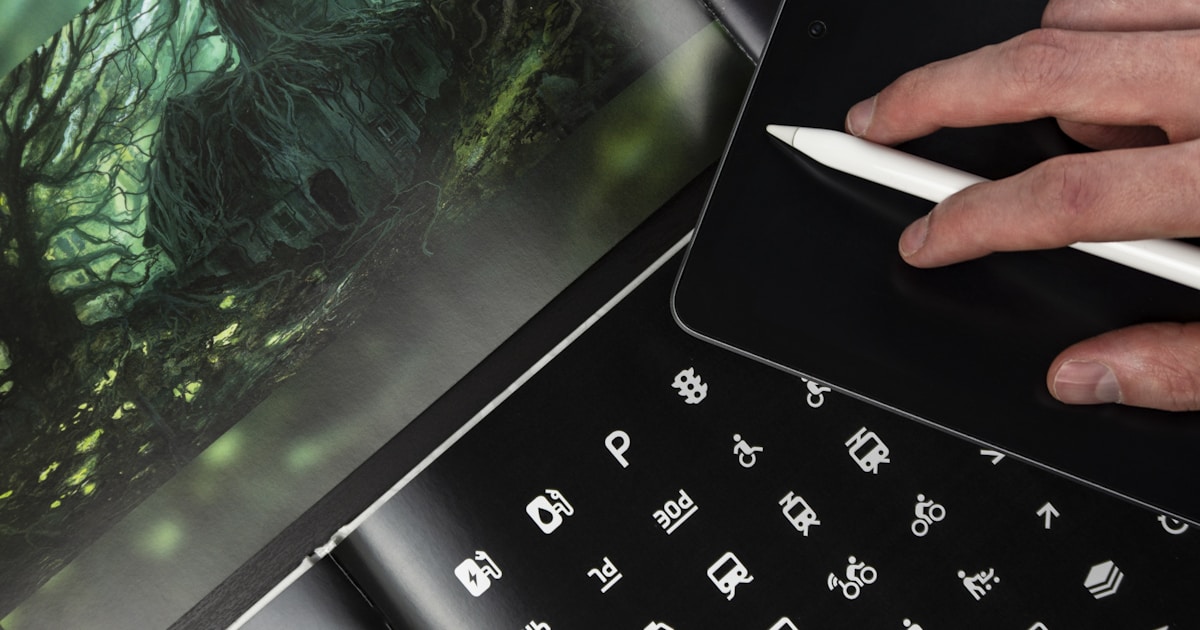
AI is not replacing designers. But designers who use AI well are producing more work, faster, and exploring more ideas than ever before. The trick is knowing which tools actually belong in a professional workflow — and which ones produce generic output that every beginner is also using.
We tested AI tools across every part of a designer's workflow — concept exploration, imagery, UI design, branding, and production — and picked the ones that deliver real value for working professionals.
How designers use AI in 2026
AI fits into design work in four main ways:
- Exploration — Generating variations, mood boards, and concept imagery
- Production — Creating final assets, backgrounds, icons, illustrations
- UI/UX — Prototyping, wireframing, generating interface components
- Branding — Logos, brand kits, visual identity systems
Each requires different tools. Here are the best for each.
AI image generation
Image generation is where AI has made the biggest leap for designers. These tools can produce photorealistic imagery, illustrations, and textures that rival professional photography and stock assets.
Midjourney — best for artistic quality
Midjourney produces the most aesthetically refined images of any AI generator. For designers who need imagery with a specific visual style — editorial illustrations, conceptual art, brand photography — nothing else comes close.
How designers use it:
- Concept art and mood board exploration
- Hero imagery for websites and campaigns
- Editorial illustrations for articles and presentations
- Style references for custom photography shoots
- Textures and pattern generation
Why designers choose it: Midjourney's output looks designed, not generated. The lighting, composition, and color work are consistently stronger than competitors. Its parameter system (--ar for aspect ratio, --style for aesthetic) gives designers real control.
The tradeoff: It runs through Discord, which is not ideal for a professional workflow. Output can feel "Midjourney-style" if you don't push prompts beyond defaults.
Pricing: $10/mo Basic. No free tier.
Leonardo AI — best balance of quality and workflow
Leonardo AI is the most professional AI image tool for designers who need a proper interface. It offers multiple fine-tuned models optimized for different use cases — photorealism, game assets, illustrations, 3D renders — in a real web app.
How designers use it:
- Generating brand-specific imagery with custom model training
- Creating game assets and sprites
- Producing marketing creatives and social graphics
- Real-time canvas editing and iteration
- Generating variations of approved concepts
Why designers choose it: The ability to train custom models on your brand's aesthetic is game-changing. Once trained, you can generate on-brand imagery in seconds. The real-time canvas makes iteration faster than any other tool.
The tradeoff: Quality varies more than Midjourney across different models. Finding the right model for a project takes experimentation.
Pricing: Free with daily credits. $12/mo Apprentice.
DALL-E — best for precision prompting
DALL-E (via ChatGPT) is the best at following complex, specific instructions. When you need an image with very particular elements — a person wearing specific clothing, holding a specific object, in a specific pose — DALL-E gets closer to your description than any other tool.
How designers use it:
- Client briefs with very specific requirements
- Multi-element compositions requiring precision
- Images with legible text (DALL-E handles text better than most)
- Quick ideation within a chat workflow
- Iteration with natural language feedback
Why designers choose it: The prompt following is the best available. If you describe it well, DALL-E will produce it. Integration with ChatGPT means you can iterate conversationally.
The tradeoff: Aesthetic quality is behind Midjourney. Outputs can feel less polished.
Pricing: Free limited use via ChatGPT. $20/mo ChatGPT Plus for unlimited.
How to choose between them
- Artistic quality matters most? Midjourney
- Need custom brand imagery at scale? Leonardo AI
- Need precise control over specific elements? DALL-E
- Just exploring and learning? NightCafe (free daily credits, multiple models)
Read our full Midjourney vs DALL-E comparison for more detail.
UI/UX design
Figma AI — best AI features in the industry standard
Figma AI integrates AI directly into the most widely used design platform. Auto-renaming layers, generating UI from text prompts, creating interactive prototypes from static designs — the AI features feel native because they are.
How designers use it:
- Generate initial UI concepts from text descriptions
- Auto-rename messy layer structures instantly
- Create interactive prototypes from static frames
- Visual search across design libraries
- Generate placeholder content and images within designs
Why designers choose it: No switching tools. If you already use Figma, the AI features just appear in your existing workflow. The design system integration means AI output respects your established tokens and components.
The tradeoff: AI features are less advanced than dedicated AI-first tools. Best for designers who want incremental AI help, not AI-native workflows.
Pricing: Free with basic AI. $15/mo Professional for full features.
Branding and visual identity
Looka — best for fast brand creation
Looka uses AI to generate logos and complete brand kits in minutes. For designers working with startups or solopreneurs who need professional branding on a budget, it produces usable output faster than starting from scratch.
How designers use it:
- Quick brand concepts for client pitches
- Starter logos for early-stage startups
- Complete brand kit generation (business cards, social assets, guidelines)
- Inspiration and exploration for larger brand projects
- Side projects and personal ventures
Why designers choose it: The speed is unmatched. Describe a business, pick styles, and get a complete brand identity in 30 minutes. Useful as a starting point or for budget projects.
The tradeoff: Designs can feel template-driven. For established brands or complex identity work, you still need custom design.
Pricing: $20 one-time for basic logo download. $96/year for Pro.
Designs.ai — best all-in-one AI design suite
Designs.ai combines logo creation, video generation, mockups, and graphic design in one subscription. Useful for designers who handle diverse creative work for small clients.
How designers use it:
- Multi-format campaigns needing logos, graphics, and video
- Client work across different media
- Marketing assets that need to be produced fast
- Mockup generation for presentations
Why designers choose it: One subscription covers multiple creative needs. Useful for freelancers juggling different project types.
The tradeoff: No individual tool is best-in-class. Good for breadth, not depth.
Pricing: $29/mo for Starter.
Graphic design and production
Canva — best for fast production work
Canva is not a replacement for professional design tools, but it is unmatched for speed on certain tasks. Its Magic Studio AI features — background removal, text-to-image, magic edit, resize across platforms — handle production tasks that would take hours in Photoshop.
How designers use it:
- Resizing social media assets across 20+ formats instantly
- Background removal without manual masking
- Template-based social content at scale
- Presentation design with AI layout suggestions
- Brand kit management for team consistency
Why designers choose it: Not every project deserves Figma or Photoshop. For fast social content, basic graphics, and template work, Canva is the most efficient tool available.
The tradeoff: Limited for complex, custom design work. Output can feel generic if you rely on templates too heavily.
Pricing: Free generous tier. $12.99/mo for Pro.
AI tools designers should consider (but not rely on)
ChatGPT — for copy and ideation
ChatGPT is useful for designers in two ways: generating placeholder and real copy for designs, and brainstorming concept directions. Not a design tool, but saves time on supporting tasks.
How designers use it: Writing microcopy, brainstorming campaign concepts, generating taglines, producing realistic placeholder text.
Claude — for code-aware design work
Claude is the best AI for designers who work on front-end code or need to collaborate with developers. It understands design tokens, CSS, and how design translates to code better than other chatbots.
How designers use it: Generating CSS from design specs, explaining design systems to developers, reviewing code for design consistency.
Building a designer's AI stack
Here is what we recommend at each career stage:
| Stage | Recommended stack | Monthly cost |
|---|---|---|
| Student/Hobbyist | Leonardo AI free + Canva free + Figma free | $0 |
| Freelancer | Midjourney Basic + Canva Pro + Figma Pro + Claude/ChatGPT | ~$50-65/mo |
| Agency/In-house | Midjourney Pro + Leonardo AI + Figma Team + Canva Teams + ChatGPT Plus | ~$100-150/mo |
| Creative director | Full stack with custom-trained Leonardo models, Midjourney Pro, Figma Enterprise | Custom |
Start with the free tools. Add paid tools when you hit a real limit in your workflow, not because you feel like you should.
What AI will not replace
AI generates pixels. Designers solve problems. The distinction matters.
AI is good at:
- Producing variations and exploring visual directions
- Handling repetitive production work (resizing, masking, removing backgrounds)
- Generating imagery that would be expensive to shoot or illustrate
- Rapid prototyping and iteration
AI is not good at:
- Understanding business goals and translating them into design decisions
- Creating cohesive systems that scale across a brand
- Knowing when to break design rules for effect
- Solving the actual problem a client is trying to address
The designers thriving with AI in 2026 are not the ones using the most tools. They are the ones who use AI for execution while owning the strategic decisions themselves.
The bottom line
For most designers, two AI tools will deliver the most value: Midjourney or Leonardo AI for imagery, and Canva or Figma AI for production. Start there. Add specialty tools only when your work requires them.
The goal is not to replace your current tools with AI. The goal is to add AI to what you already do so you can work faster, explore more, and spend less time on the boring parts of the job.
Browse the full list of AI design tools and AI image generators, or read about the best AI tools for content creators if you work across disciplines.
author
Dusan Kovacevic
Published April 10, 2026 · Updated April 10, 2026
continue reading
Related articles
The Best AI Tools for Podcasters in 2026: Audio, Video & Production Tested
From editing audio by script to synthetic voice cloning and automated show notes, here are the best AI tools for podcasters to produce studio-quality episodes in record time.
Read
The Best AI Tools for Accountants in 2026
From bookkeeping to tax research to client advisory, AI tools are reshaping what a small accounting practice can deliver. Here are the tools that genuinely save hours per week — without compromising compliance.
Read
The Best AI Tools for Teachers in 2026
From lesson planning to grading to creating personalized learning materials, AI is reshaping what's possible in the classroom. Here are the tools teachers actually use to save time and improve outcomes.
Read